
What is OpenAthens?
OpenAthens is a single sign-on (SSO) authentication service that lets you use your UOW Malaysia account to access online resources both on and off campus. With SSO, you can move between resources without needing to login repeatedly.What's changing?
When searching Library EXPLORE and e-Resources:Why OpenAthens?
OpenAthens offers more secure, reliable, and flexible access. It will also reduce the frustrating ‘Pay for full text’ issues you may have experienced previously when trying to access resources on publisher websites. OpenAthens lets you login directly with participating publishers, making it easier to discover and access content.What is an OpenAthens link?
An OpenAthens link allows secure access to UOW Malaysia Library's online e-Resources. These links start with: https://go.openathens.net/redirector/uow.edu.my?url=How to convert links
To convert links use the OpenAthens Link Generator (or add the prefix manually):OpenAthens Link Generator
Redirector URLs can be created by adding https://go.openathens.net/redirector/uow.edu.my?url= as a prefix to the target URL, or go here to generate UOW Malaysia OpenAthens link.Converting existing links
You will need to convert links that:Logging in via web searches
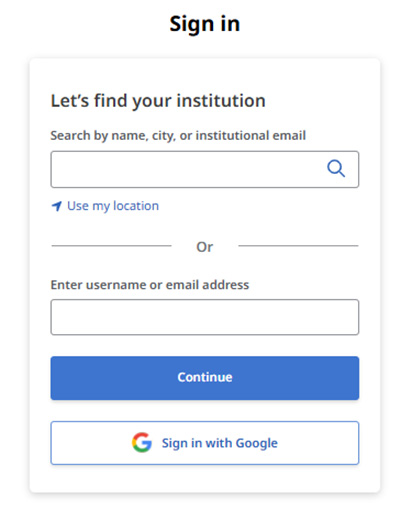
On some publisher sites (e.g. EBSCOhost) you can login via OpenAthens using your University account.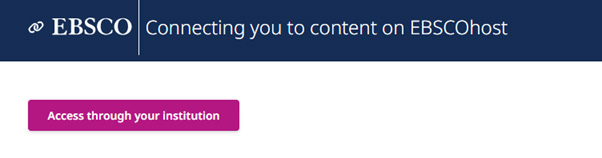
Using OpenAthens across different browsers and devices
OpenAthens uses cookies to recognise your device. You will only be asked to log in again if you:Using OpenAthens across different browsers and devices
Some databases allow the users to create a Personal Account, which can generally be used to save individual resources or searches, to provide quick access to frequently used materials. You may be required to link or merge your existing Personal Accounts when you are signing in with OpenAthens for the first time.EBSCOHost
New and returning users signing in via OpenAthens authentication for the first time will have a new personal My Dashbaord (perviously known as MyEBSCO Account) created on EBSCOhost.Ebook Central (ProQuest)
A new Ebook Central Profile based on your UOW Malaysia credentials will be created automatically for you along with a new Bookshelf when you sign in for the first time.© Copyright 2025 University of Wollongong Malaysia (DU066(B)), UOW Malaysia KDU Penang University College (DKU032(P)), UOW Malaysia KDU College (DK280-01(B)), UOW Malaysia College (DK070(B)). Australian Provider ID (TEQSA): PRV12062. University of Wollongong CRICOS Provider No: 00102E. All Rights Reserved. Privacy Policy